
Subcontractor Approval
Subcontractor Approval, Made Simple
Collect, review and approve subcontractor information through one easy to manage system powered by QR Safety.
Send subcontractors a simple form to complete, review their documents through a central dashboard and quickly identify missing, incorrect or expired information.
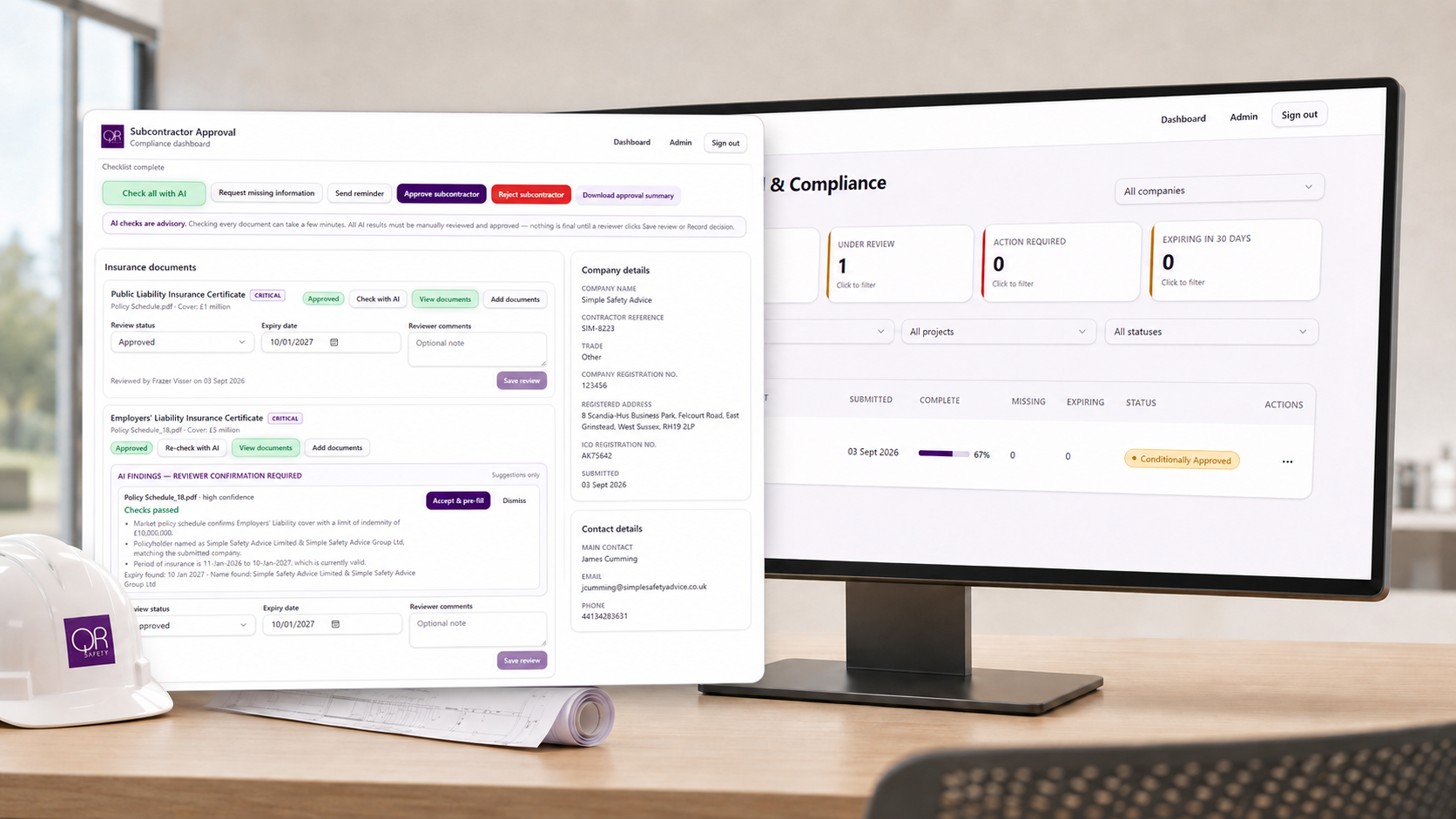
A Faster Way to Vet Subcontractors
Managing subcontractor approvals can mean chasing emails, checking multiple documents and trying to keep track of insurance, training and expiry dates.
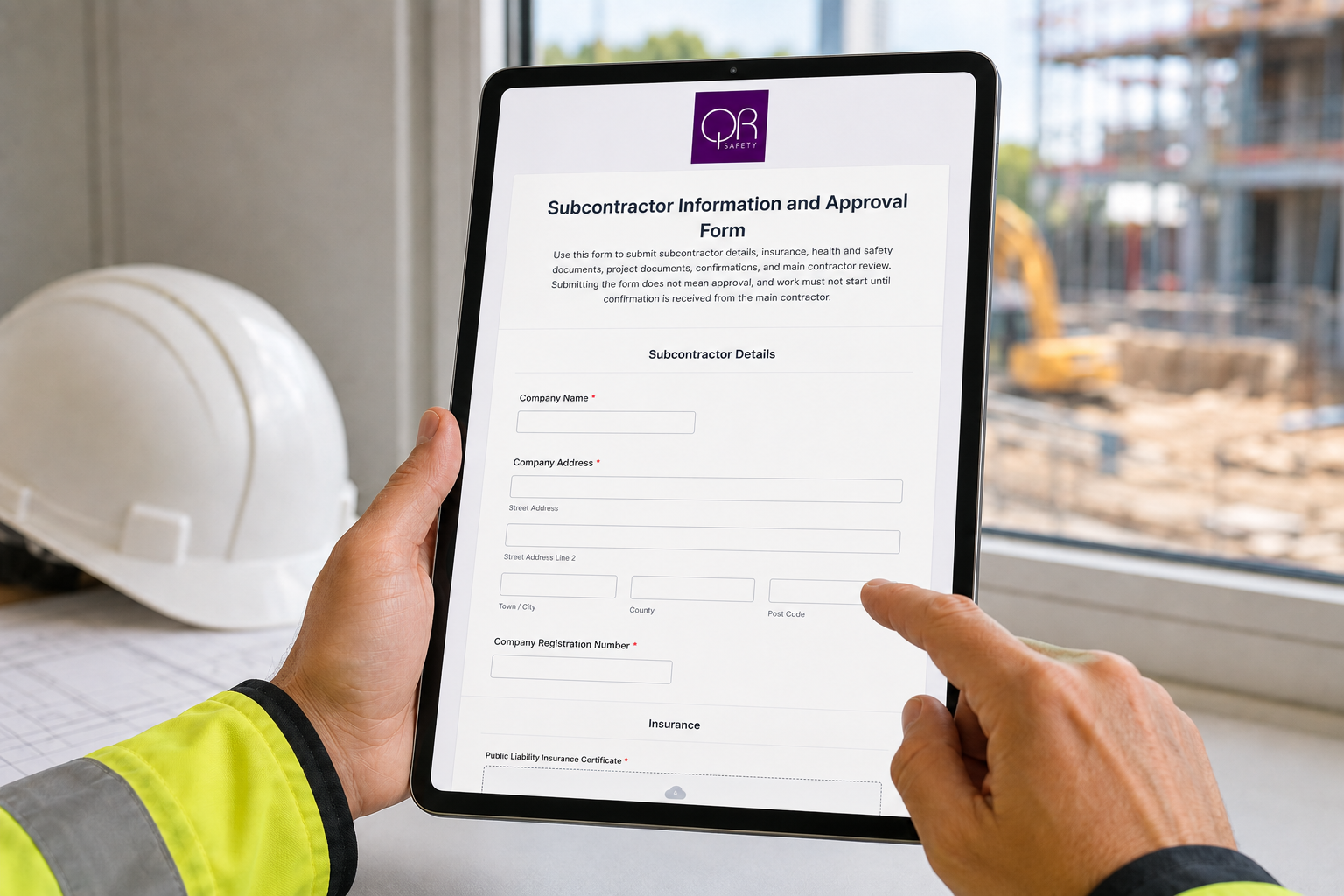
The QR Safety Subcontractor Approval System brings the process together in one place. Subcontractors submit their company details and supporting documents through a secure online form, giving your team a clear and consistent process for reviewing every application.
How It Works
1. Send the Approval Form
Send the subcontractor a link to complete their application and upload the required company information, insurance certificates, health and safety documents, training records and other supporting evidence.
2. Review Everything in One Dashboard
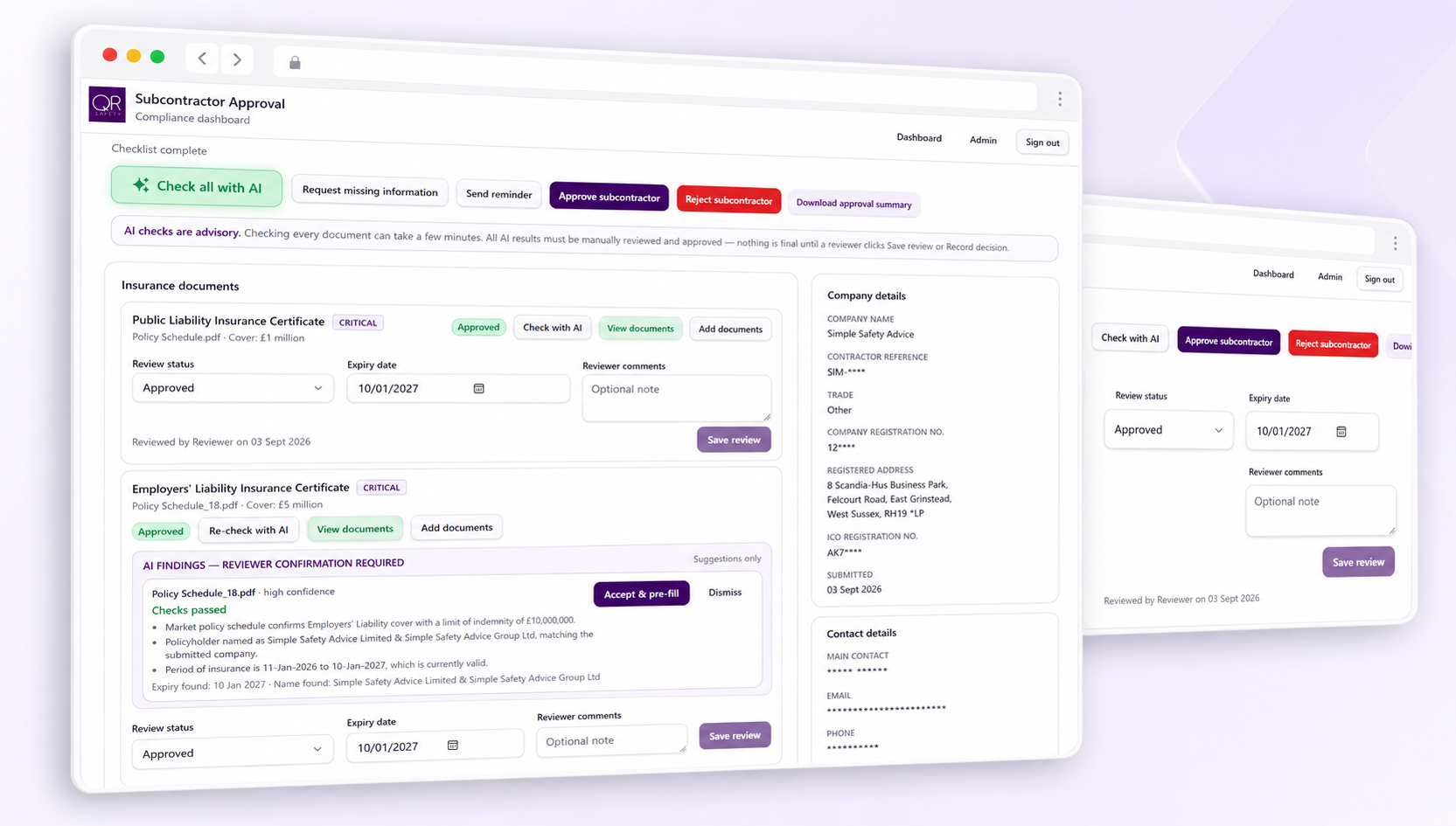
Submitted information is displayed in a central dashboard, allowing your team to review each requirement, record comments and approve or reject individual items.
3. AI-Assisted Document Checks
Built-in AI helps review submitted information and highlight potential issues, including:
Expired or approaching expiry dates
Incorrect or inconsistent company names
Missing information
Documents that may not match the subcontractor
Gaps requiring further review
This helps your team focus its attention where it is needed, while keeping the final approval decision with your authorised reviewer.
4. Approve the Subcontractor
Once the required information has been checked and accepted, the subcontractor can be approved for inclusion on your approved contractor list.
Site and Project-Specific Approval
Company approval is only the first stage.
Once a subcontractor has been approved, a separate form can be used to assess them for a particular site, project or package of work.
The subcontractor can submit project-specific information, including RAMS, COSHH assessments, training evidence and other documents required before starting work.
Our AI-assisted review can help highlight missing information, inconsistencies and potential gaps within the submitted RAMS and supporting documents. Your team can then complete the final manual review and decide whether the subcontractor is approved for that particular job
Everything You Need to Stay in Control
Central Approval Dashboard
View applications, supporting documents, approval decisions and outstanding requirements in one place.
Two-Stage Approval Process
Approve the subcontractor at company level and then separately for each site, project or package of work.
AI-Assisted Reviews
Quickly identify dates, names, missing information and potential document issues requiring closer attention.
Document Expiry Tracking
Highlight expired documents and identify records that need to be renewed or replaced.
Clear Approval Status
See which subcontractors are approved, awaiting review, missing information or not currently authorised.
Consistent Vetting Process
Apply the same approval requirements across your supply chain and reduce the risk of important checks being missed.
Better Audit Trail
Maintain a clear digital record of submissions, reviews, comments and approval decisions.
Reduce Administration and Speed Up Onboarding
The QR Safety Subcontractor Approval System helps reduce time spent chasing documents, reviewing applications and managing separate spreadsheets or email folders.
It provides a clearer process for your team, a simpler experience for your subcontractors and better visibility of the information needed before work begins.
See the System in Action
Book a demonstration to see how the subcontractor approval forms, dashboard and AI-assisted document checks could support your business.